# [Codecov][0] Java Example
[](https://travis-ci.org/codecov/example-java)
[](https://codecov.io/gh/codecov/example-java)
[](https://app.fossa.com/projects/git%2Bgithub.com%2Fcodecov%2Fexample-java?ref=badge_shield)
## Guide
### Travis Setup
Add the following to your `.travis.yml`:
```yml
language: java
after_success:
- bash <(curl -s https://codecov.io/bash)
```
### Produce Coverage Reports
1. Add JaCoCo Plugin to your pom.xml file, [see here](https://github.com/codecov/example-java/blob/master/pom.xml#L38-L56)
## Caveats
#### Private Repo
You will need to add the following your `.travis.yml`:
```yml
env:
global:
- CODECOV_TOKEN=:uuid-repo-token
```
#### JaCoCo Reports
- Make sure you are using the latest version of JaCoCo. There are issues with previous versions of JaCoCo.
- JaCoCo reports can expire - Codecov will reject reports that are older than 12 hours. The logs contain details if a report expired.
## Support
### FAQ
- Q: How do I enable multi-module projects?
A: In your `pom.xml` file please append a list of modules in your projects:
```xml
module_a/
module_b/
```
- Q: Seeing `Skipping JaCoCo execution due to missing execution data file`?
A: Please see [http://stackoverflow.com/questions/18107375/...](http://stackoverflow.com/questions/18107375/getting-skipping-jacoco-execution-due-to-missing-execution-data-file-upon-exec).
- We should talk about using other CIs here.
- Q: Does Codecov accept `jacoco.exec` reports?
A: **No**, these files are not supported. Please produce a `xml` file as detailed in the pom.xml file at [codecov/example-java][1].
- Q: Is there a Gradle example?
A: **Yes**, enter [codecov/example-gradle][2]
- Q: Is there a Android example?
A: **Yes**, enter [codecov/example-android][3]
- Q: Is there a Maven example?
A: **Yes**, enter [codecov/example-maven][4]
1. More documentation at https://docs.codecov.io
2. Configure codecov through the `codecov.yml` https://docs.codecov.io/docs/codecov-yaml
3. View source and learn more about [Codecov Global Uploader](https://github.com/codecov/codecov-bash)
We are happy to help if you have any questions. Please contact email our Support at [support@codecov.io](mailto:support@codecov.io)
[0]: https://codecov.io/
[1]: https://github.com/codecov/example-java
[2]: https://github.com/codecov/example-gradle
[3]: https://github.com/codecov/example-android
[4]: https://github.com/codecov/example-java-maven
[5]: https://docs.codecov.io/docs/about-the-codecov-bash-uploader#section-upload-token
## License
[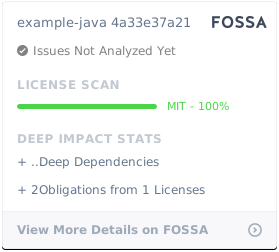](https://app.fossa.com/projects/git%2Bgithub.com%2Fcodecov%2Fexample-java?ref=badge_large)