File tree Expand file tree Collapse file tree 1 file changed +9
-2
lines changed
Expand file tree Collapse file tree 1 file changed +9
-2
lines changed Original file line number Diff line number Diff line change @@ -47,10 +47,16 @@ AndroidStudio提高Build速度
4747 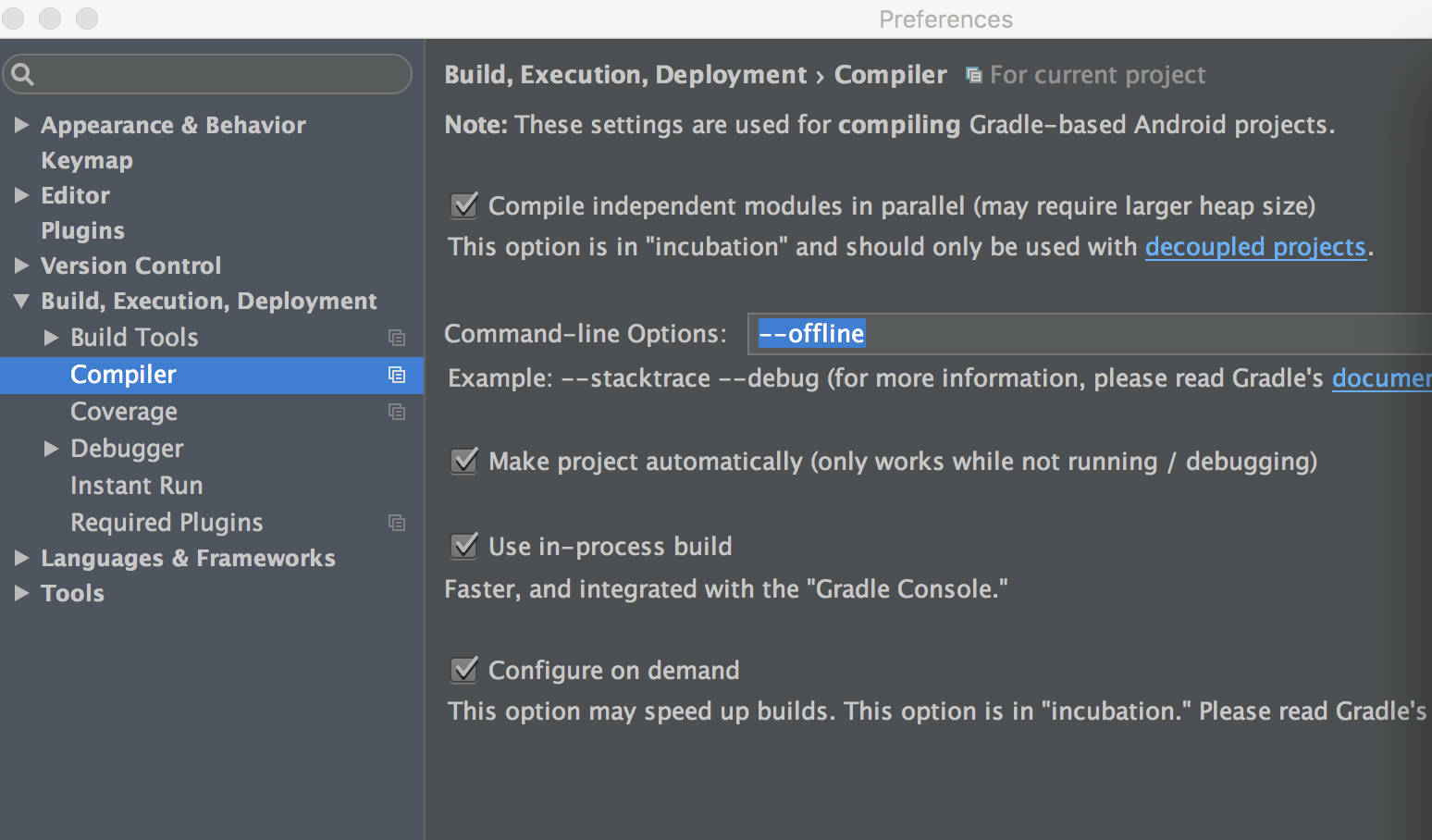
4848
4949
50- - 使用`offline`模式
50+ - 使用`offline`模式
51+
5152 下一步就是开始`offline`模式,因为我们经常会在`gradle`中使用一下依赖库时用`+`这样的话就能保证你的依赖库是最新的版本,但是这样在每次`build`的时候都会去检查是不是最新的版本,所以就会耗时。
5253 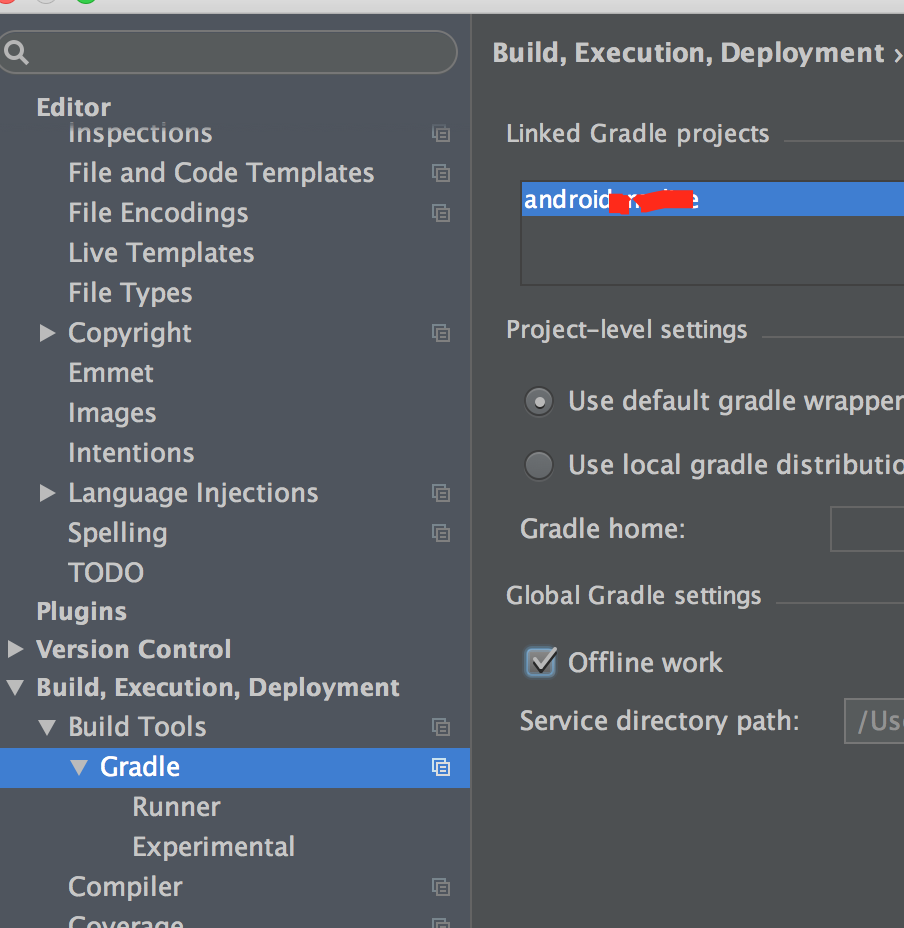
5354
55+ 在开发过程中是不建议使用动态版本的,在`Studio`中使用动态版本的`gradle`中间中使用`ALT+ENTER`键进行修复。
56+ 
57+ 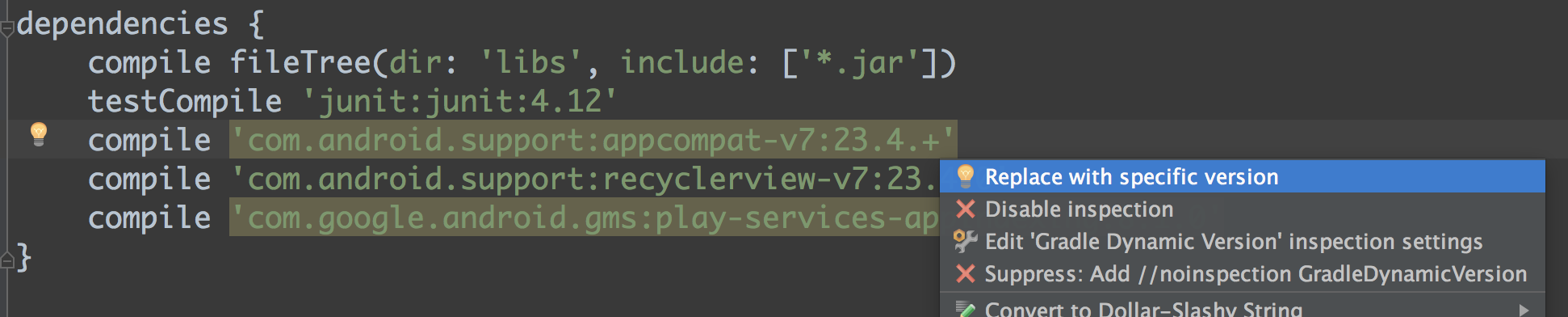
58+ 详细有关为什么不要使用动态版本的介绍,请参考[Don't use dynamic versions for your dependencies](http://blog.danlew.net/2015/09/09/dont-use-dynamic-versions-for-your-dependencies/)
59+
5460- 增加内存使用`SSD`
5561 首先是增大内存, `Mac`中在`Applications`中找到`Sutio`然后右键显示包内容`Contents/bin/studio.vmoptions`。
5662 打开该文件后修改就可以了,我是的是:
@@ -73,7 +79,8 @@ AndroidStudio提高Build速度
7379 - Xmx 是能使用的最大堆内存。
7480
7581
76- - 使用`Instant Run`
82+ - 使用`Instant Run`
83+
7784 `Instantt Run`放在这里说可能不合适,但是用他确实能大大的减少运行时间。
7885 如果还不了解的话可以参考[Instant Run](http://tools.android.com/tech-docs/instant-run)
7986 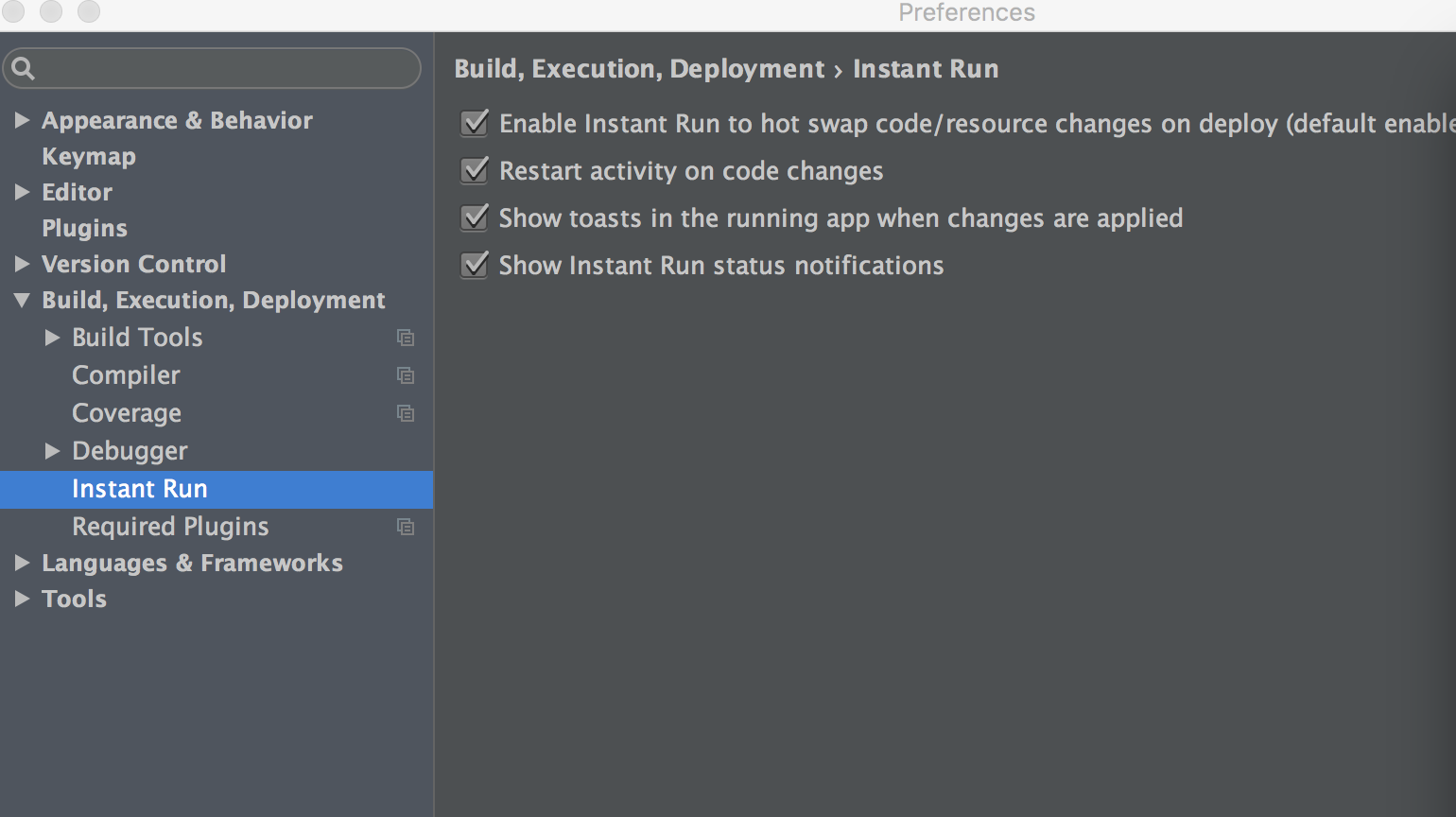
You can’t perform that action at this time.
0 commit comments