|
| 1 | +#### 一:效果展示 |
| 2 | +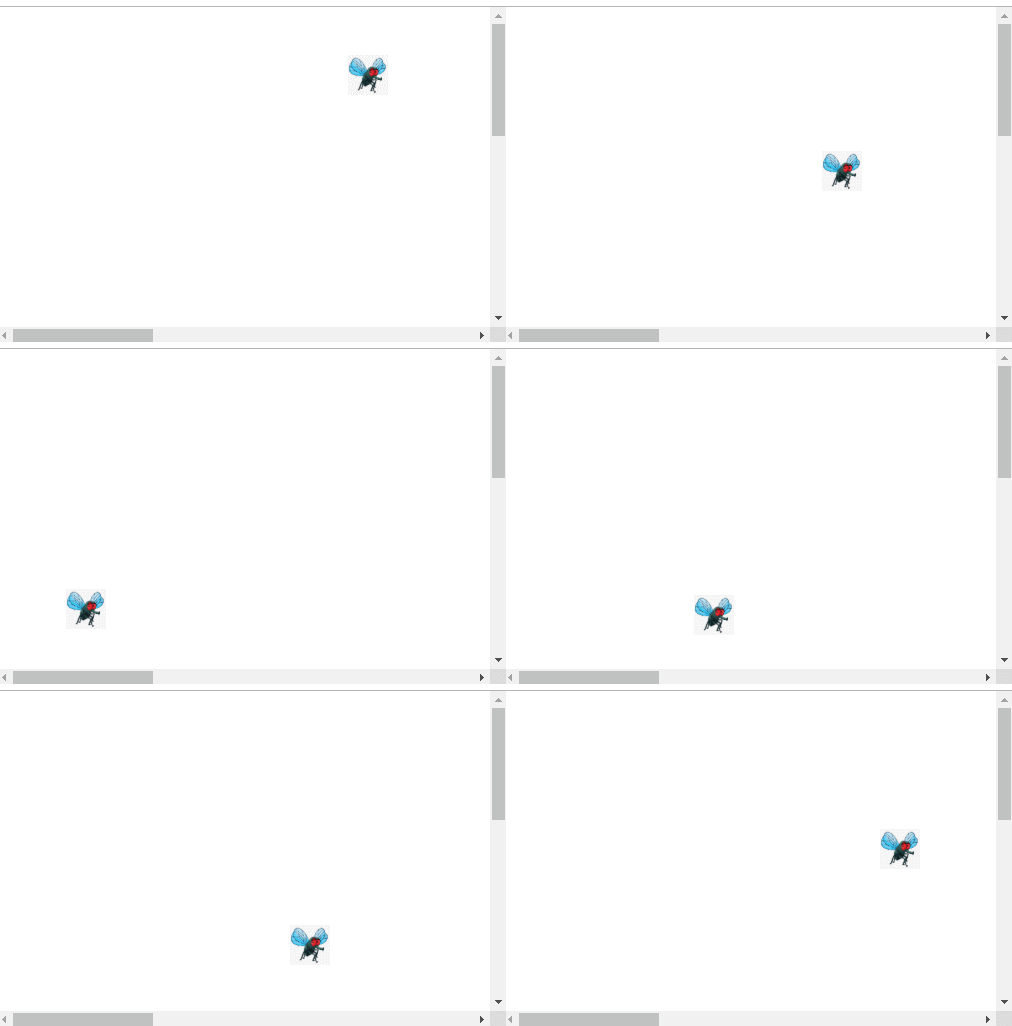 |
| 3 | +#### 二.代码实现 |
| 4 | +**1.html代码:** |
| 5 | +```html |
| 6 | +<!DOCTYPE html> |
| 7 | +<html> |
| 8 | + <head> |
| 9 | + <meta charset="utf-8"> |
| 10 | + <title>苍蝇</title> |
| 11 | + <link rel="stylesheet" type="text/css" href="css/reset.css"/> |
| 12 | + <link rel="stylesheet" type="text/css" href="css/myTest2.css"/> |
| 13 | + <script src="js/myTest2.js" type="text/javascript" charset="utf-8"></script> |
| 14 | + </head> |
| 15 | + <body> |
| 16 | + <img src="img/timg.jpg" id="ad" /> |
| 17 | + </body> |
| 18 | +</html> |
| 19 | + |
| 20 | +``` |
| 21 | +**2.css 样式文件** |
| 22 | +格式化样式(可选) |
| 23 | +```css |
| 24 | +/* http://meyerweb.com/eric/tools/css/reset/ |
| 25 | + v2.0 | 20110126 |
| 26 | + License: none (public domain) |
| 27 | +*/ |
| 28 | + |
| 29 | +html, body, div, span, applet, object, iframe, |
| 30 | +h1, h2, h3, h4, h5, h6, p, blockquote, pre, |
| 31 | +a, abbr, acronym, address, big, cite, code, |
| 32 | +del, dfn, em, img, ins, kbd, q, s, samp, |
| 33 | +small, strike, strong, sub, sup, tt, var, |
| 34 | +b, u, i, center, |
| 35 | +dl, dt, dd, ol, ul, li, |
| 36 | +fieldset, form, label, legend, |
| 37 | +table, caption, tbody, tfoot, thead, tr, th, td, |
| 38 | +article, aside, canvas, details, embed, |
| 39 | +figure, figcaption, footer, header, hgroup, |
| 40 | +menu, nav, output, ruby, section, summary, |
| 41 | +time, mark, audio, video { |
| 42 | + margin: 0; |
| 43 | + padding: 0; |
| 44 | + border: 0; |
| 45 | + font-size: 100%; |
| 46 | + font: inherit; |
| 47 | + vertical-align: baseline; |
| 48 | +} |
| 49 | +/* HTML5 display-role reset for older browsers */ |
| 50 | +article, aside, details, figcaption, figure, |
| 51 | +footer, header, hgroup, menu, nav, section { |
| 52 | + display: block; |
| 53 | +} |
| 54 | +body { |
| 55 | + line-height: 1; |
| 56 | +} |
| 57 | +ol, ul { |
| 58 | + list-style: none; |
| 59 | +} |
| 60 | +blockquote, q { |
| 61 | + quotes: none; |
| 62 | +} |
| 63 | +blockquote:before, blockquote:after, |
| 64 | +q:before, q:after { |
| 65 | + content: ''; |
| 66 | + content: none; |
| 67 | +} |
| 68 | +table { |
| 69 | + border-collapse: collapse; |
| 70 | + border-spacing: 0; |
| 71 | +} |
| 72 | +``` |
| 73 | +基础样式 |
| 74 | +```css |
| 75 | +img { |
| 76 | + position: absolute; |
| 77 | + width: 50px; |
| 78 | + height: 50px; |
| 79 | + top: 100px; |
| 80 | +} |
| 81 | +body { |
| 82 | + height: 1024px; |
| 83 | + width: 2024px; |
| 84 | +} |
| 85 | +``` |
| 86 | + |
| 87 | +**3.js代码** |
| 88 | +```javascript |
| 89 | +//如何获取滚动条的距离 |
| 90 | +//如何移动元素的距离 |
| 91 | +//如何移动元素自己的大小 |
| 92 | +//如何可视窗体的宽度和高度 |
| 93 | + |
| 94 | +window.onload = function(){ |
| 95 | + var time = null;//定时器 |
| 96 | + ad = document.getElementById('ad'); |
| 97 | + |
| 98 | + |
| 99 | + //定时器定时刷新 |
| 100 | + if(time == null){ |
| 101 | + time = window.setInterval(moveImg,50) |
| 102 | + } |
| 103 | +} |
| 104 | + |
| 105 | +var moveX = 1;//1表示正向移动,-1表示反向移动 |
| 106 | +var moveY = 1;//1表示正向移动,-1表示反向移动 |
| 107 | +var size = 8;//用户定义的每次刷新移动的像素大小 |
| 108 | +function moveImg(){ |
| 109 | + //每次调用在原来的top值加像素 |
| 110 | + var top = MyToll.elementXY(ad).y; |
| 111 | + if(moveY == 1){ |
| 112 | + top = top + size; |
| 113 | + } |
| 114 | + if(moveY == -1){ |
| 115 | + top = top - size; |
| 116 | + } |
| 117 | + |
| 118 | + //边界值碰撞计算 |
| 119 | + if(top >(MyToll.clientWH().y + MyToll.scrollXY().y -MyToll.elementWH(ad).y)){ |
| 120 | + moveY = -1; |
| 121 | + } |
| 122 | + //其实在等于滚动条的值就触发 |
| 123 | + if(top <= MyToll.scrollXY().y){ |
| 124 | + moveY = 1 ; |
| 125 | + } |
| 126 | + |
| 127 | + var left = MyToll.elementXY(ad).x; |
| 128 | + if(moveX == 1){ |
| 129 | + left = left + size; |
| 130 | + } |
| 131 | + if(moveX == -1){ |
| 132 | + left = left - size; |
| 133 | + } |
| 134 | + |
| 135 | + if(left > (MyToll.clientWH().x + MyToll.scrollXY().x - MyToll.elementWH(ad).x)){ |
| 136 | + //做减法 |
| 137 | + moveX = -1; |
| 138 | + } |
| 139 | + |
| 140 | + if(left <= MyToll.scrollXY().x ){ |
| 141 | + moveX = 1; |
| 142 | + } |
| 143 | + |
| 144 | + ad.style.top = top + 'px'; |
| 145 | + ad.style.left = left + 'px'; |
| 146 | + console.log(top +":"+MyToll.clientWH().y+":"+MyToll.scrollXY().y+":"+MyToll.elementWH(ad).y) |
| 147 | + console.log(left + ":" + (MyToll.clientWH().x + MyToll.scrollXY().x - MyToll.elementWH(ad).x)) |
| 148 | +} |
| 149 | + |
| 150 | +/** |
| 151 | + * @param {Object} x 可表示left和width的值 |
| 152 | + * @param {Object} y 可表示top和height的值 |
| 153 | + */ |
| 154 | +function Result(x,y){ |
| 155 | + this.x = x; |
| 156 | + this.y = y; |
| 157 | +} |
| 158 | + |
| 159 | + |
| 160 | +var MyToll = { |
| 161 | + //滚动条的xy距离(left top) |
| 162 | + scrollXY : function(){ |
| 163 | + var left = document.documentElement.scrollLeft; |
| 164 | + var top = document.documentElement.scrollTop; |
| 165 | + return new Result(left,top); |
| 166 | + }, |
| 167 | + |
| 168 | + //元素移动的距离(left top) |
| 169 | + elementXY : function(obj){ |
| 170 | + var left = obj.style.left ? obj.style.left : document.defaultView.getComputedStyle(obj,null).left; |
| 171 | + var top = obj.style.top ? obj.style.top : document.defaultView.getComputedStyle(obj,null).top |
| 172 | + //由于带有像素值,将其转换为整形 |
| 173 | + return new Result(parseInt(left),parseInt(top)); |
| 174 | + }, |
| 175 | + |
| 176 | + //可视窗体的高度和宽度 |
| 177 | + clientWH : function(){ |
| 178 | + var clientW = document.documentElement.clientWidth; |
| 179 | + var clientH = document.documentElement.clientHeight; |
| 180 | + return new Result(clientW,clientH); |
| 181 | + }, |
| 182 | + |
| 183 | + //元素本身的大小 |
| 184 | + elementWH : function(obj){ |
| 185 | + var imgW = obj.offsetWidth; |
| 186 | + var imgH = obj.offsetHeight; |
| 187 | + return new Result(imgW,imgH); |
| 188 | + } |
| 189 | + |
| 190 | +} |
| 191 | +``` |
| 192 | + |
0 commit comments