|
| 1 | +AndroidStudio提高Build速度 |
| 2 | +=== |
| 3 | + |
| 4 | +`Android Studio`自动发布以来,凭借其强大的功能,很快让开发者都投入到它的阵营下。但是也问题,就是`Build`速度太慢了。 |
| 5 | + |
| 6 | +之前也根据网上的资料,修改了一些配置,但是一次二分多种有时候还是让人抓狂。今天索性记录一下。首先看一下[Google+](https://plus.google.com/+AndroidDevelopers/posts/ECrb9VQW9XP)关于该问题的讨论。 |
| 7 | + |
| 8 | + |
| 9 | +- 使用`daemon`及`parallel`模式 |
| 10 | + |
| 11 | + 在下面的目录中创建一个名为`gradle.properties`的文件: |
| 12 | + |
| 13 | + - `/home/<username>/.gradle/ (Linux)` |
| 14 | + - `/Users/<username>/.gradle/ (Mac)` |
| 15 | + - `C:\Users\<username>\.gradle (Windows)` |
| 16 | + |
| 17 | + 文件的内容为: |
| 18 | + ``` |
| 19 | + org.gradle.daemon=true |
| 20 | + org.gradle.parallel=true |
| 21 | + ``` |
| 22 | + |
| 23 | + 经过上面的这一步修改是对所有工程都有效果的,如果你只想对某一个工程配置的话,那就在该工程目录下的`gralde.properties`中进行配置。 |
| 24 | + ``` |
| 25 | + # Project-wide Gradle settings. |
| 26 | + |
| 27 | + # IDE (e.g. Android Studio) users: |
| 28 | + # Gradle settings configured through the IDE *will override* |
| 29 | + # any settings specified in this file. |
| 30 | + |
| 31 | + # For more details on how to configure your build environment visit |
| 32 | + # http://www.gradle.org/docs/current/userguide/build_environment.html |
| 33 | + |
| 34 | + # Specifies the JVM arguments used for the daemon process. |
| 35 | + # The setting is particularly useful for tweaking memory settings. |
| 36 | + # Default value: -Xmx10248m -XX:MaxPermSize=256m |
| 37 | + # org.gradle.jvmargs=-Xmx2048m -XX:MaxPermSize=512m -XX:+HeapDumpOnOutOfMemoryError -Dfile.encoding=UTF-8 |
| 38 | + |
| 39 | + # When configured, Gradle will run in incubating parallel mode. |
| 40 | + # This option should only be used with decoupled projects. More details, visit |
| 41 | + # http://www.gradle.org/docs/current/userguide/multi_project_builds.html#sec:decoupled_projects |
| 42 | + # org.gradle.parallel=true |
| 43 | + ``` |
| 44 | + 打开时默认如上。我们给加添加上面的配置就好。 |
| 45 | + |
| 46 | + 当然你也可以通过`Studio`的设置中进行修改。 |
| 47 | + 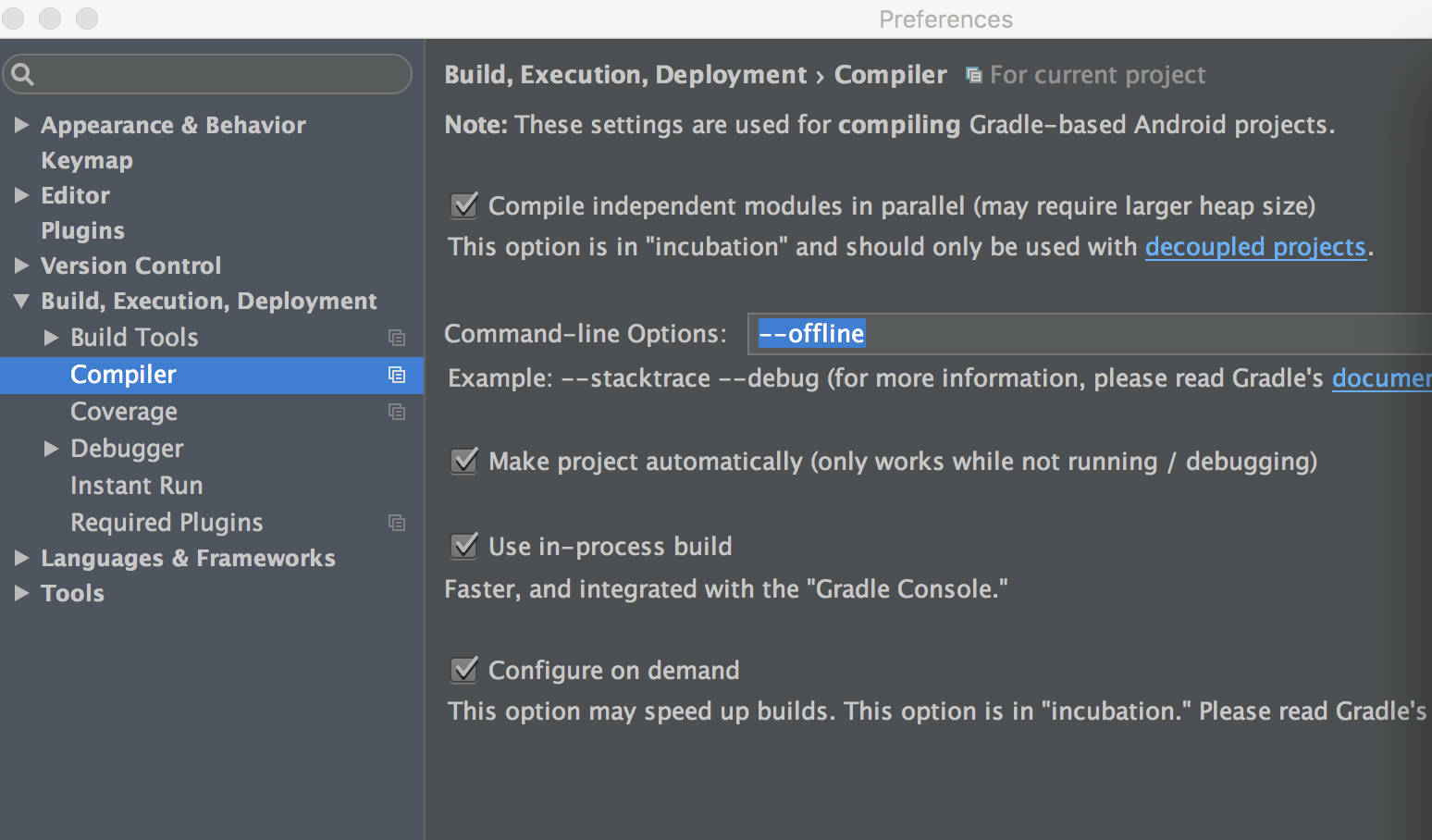 |
| 48 | +
|
| 49 | +
|
| 50 | +- 使用`offline`模式 |
| 51 | + 下一步就是开始`offline`模式,因为我们经常会在`gradle`中使用一下依赖库时用`+`这样的话就能保证你的依赖库是最新的版本,但是这样在每次`build`的时候都会去检查是不是最新的版本,所以就会耗时。 |
| 52 | + 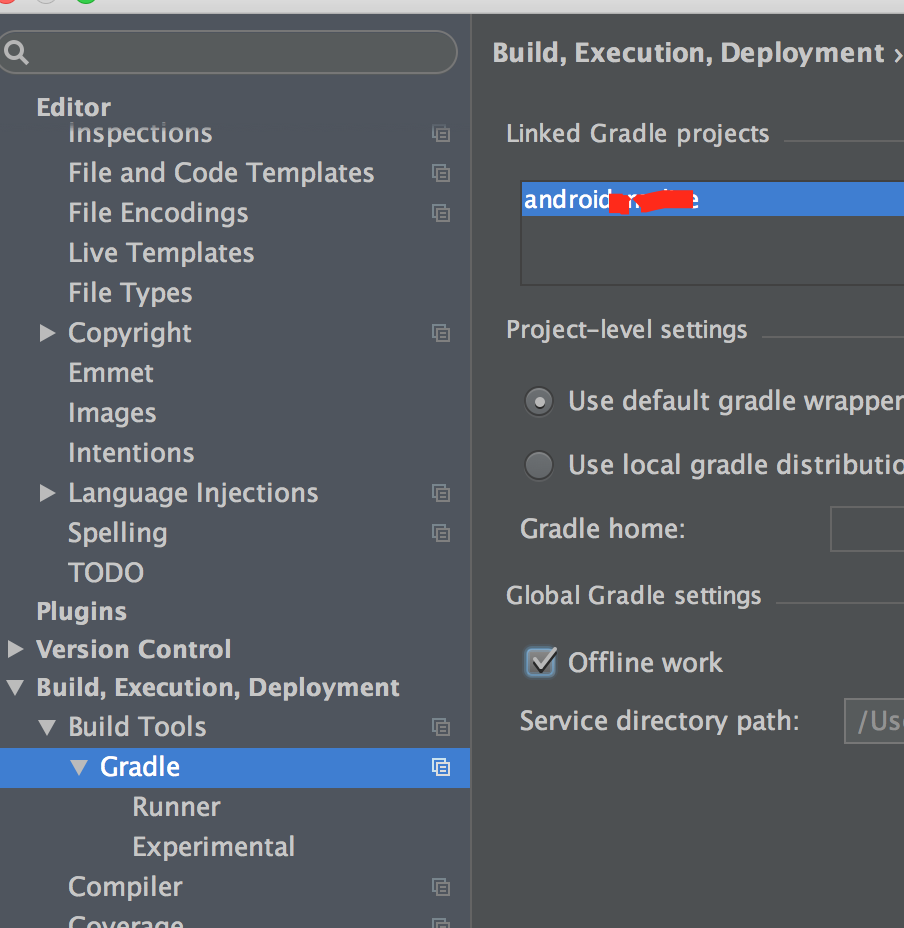 |
| 53 | +
|
| 54 | +- 增加内存使用`SSD` |
| 55 | + 首先是增大内存, `Mac`中在`Applications`中找到`Sutio`然后右键显示包内容`Contents/bin/studio.vmoptions`。 |
| 56 | + 打开该文件后修改就可以了,我是的是: |
| 57 | + ``` |
| 58 | + # |
| 59 | + # *DO NOT* modify this file directly. If there is a value that you would like to override, |
| 60 | + # please add it to your user specific configuration file. |
| 61 | + # |
| 62 | + # See http://tools.android.com/tech-docs/configuration |
| 63 | + # |
| 64 | + -Xms1024m |
| 65 | + -Xmx4096m |
| 66 | + -XX:MaxPermSize=768m |
| 67 | + -XX:ReservedCodeCacheSize=768m |
| 68 | + -XX:+UseCompressedOops |
| 69 | + ``` |
| 70 | + 我没看见`DO NOT`的提示- -! |
| 71 | + |
| 72 | + - Xms 是JVN启动起始时的堆内存,堆内存是分配给对象的内容。 |
| 73 | + - Xmx 是能使用的最大堆内存。 |
| 74 | +
|
| 75 | +
|
| 76 | +- 使用`Instant Run` |
| 77 | + `Instantt Run`放在这里说可能不合适,但是用他确实能大大的减少运行时间。 |
| 78 | + 如果还不了解的话可以参考[Instant Run](http://tools.android.com/tech-docs/instant-run) |
| 79 | + 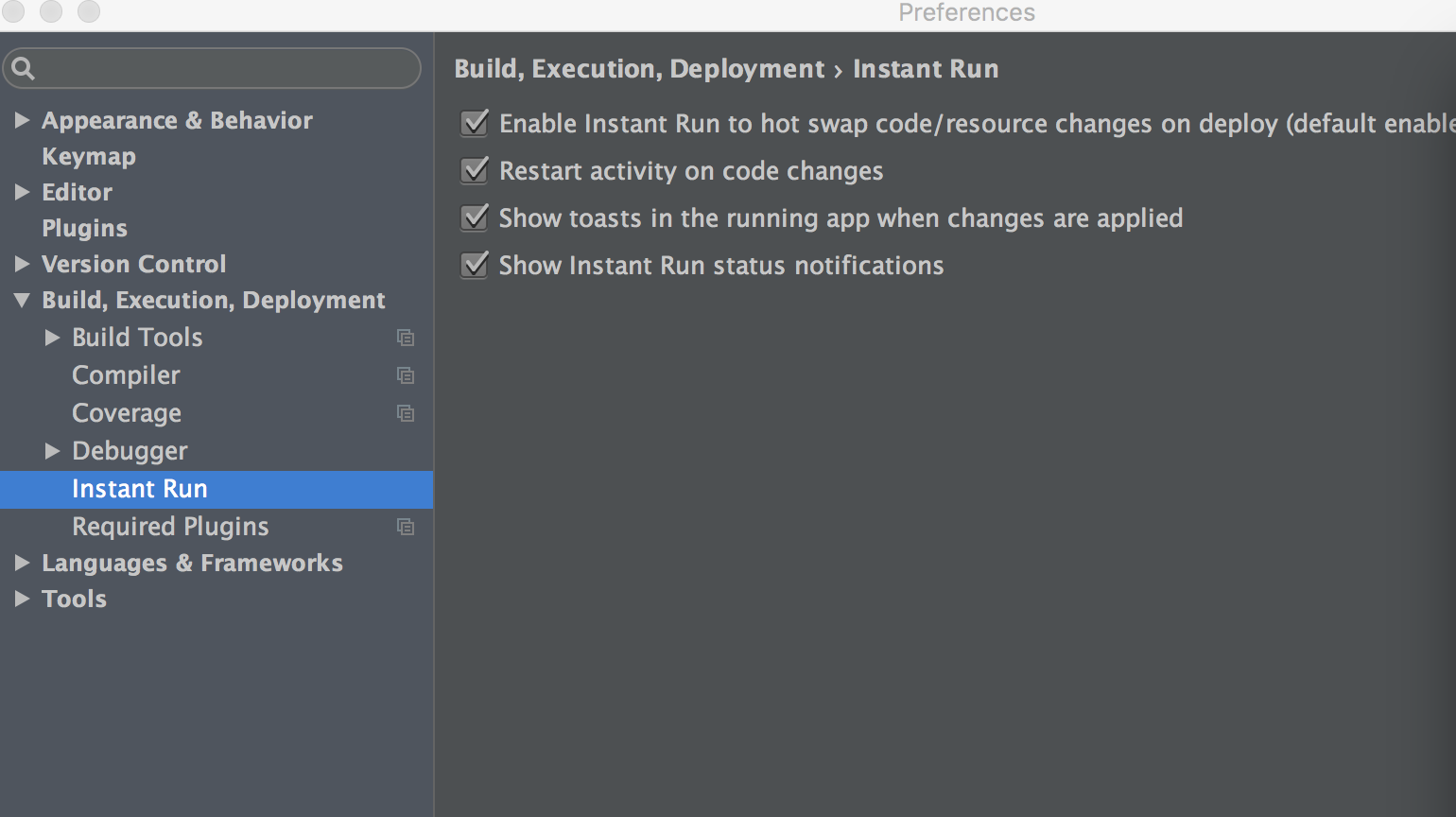 |
| 80 | + |
| 81 | +--- |
| 82 | +
|
| 83 | +- 邮箱 :charon.chui@gmail.com |
| 84 | +- Good Luck! |
0 commit comments