> ## Documentation Index
> Fetch the complete documentation index at: https://docs.sourcebot.dev/llms.txt
> Use this file to discover all available pages before exploring further.
# Authentication
To securely access and interact with Sourcebot’s API, authentication is required. Users must generate an API Key, which will be used to authenticate requests.
If [anonymous access](/docs/configuration/auth/access-settings#anonymous-access) is enabled, some endpoints will be accessible without a API key.
## Creating an API key
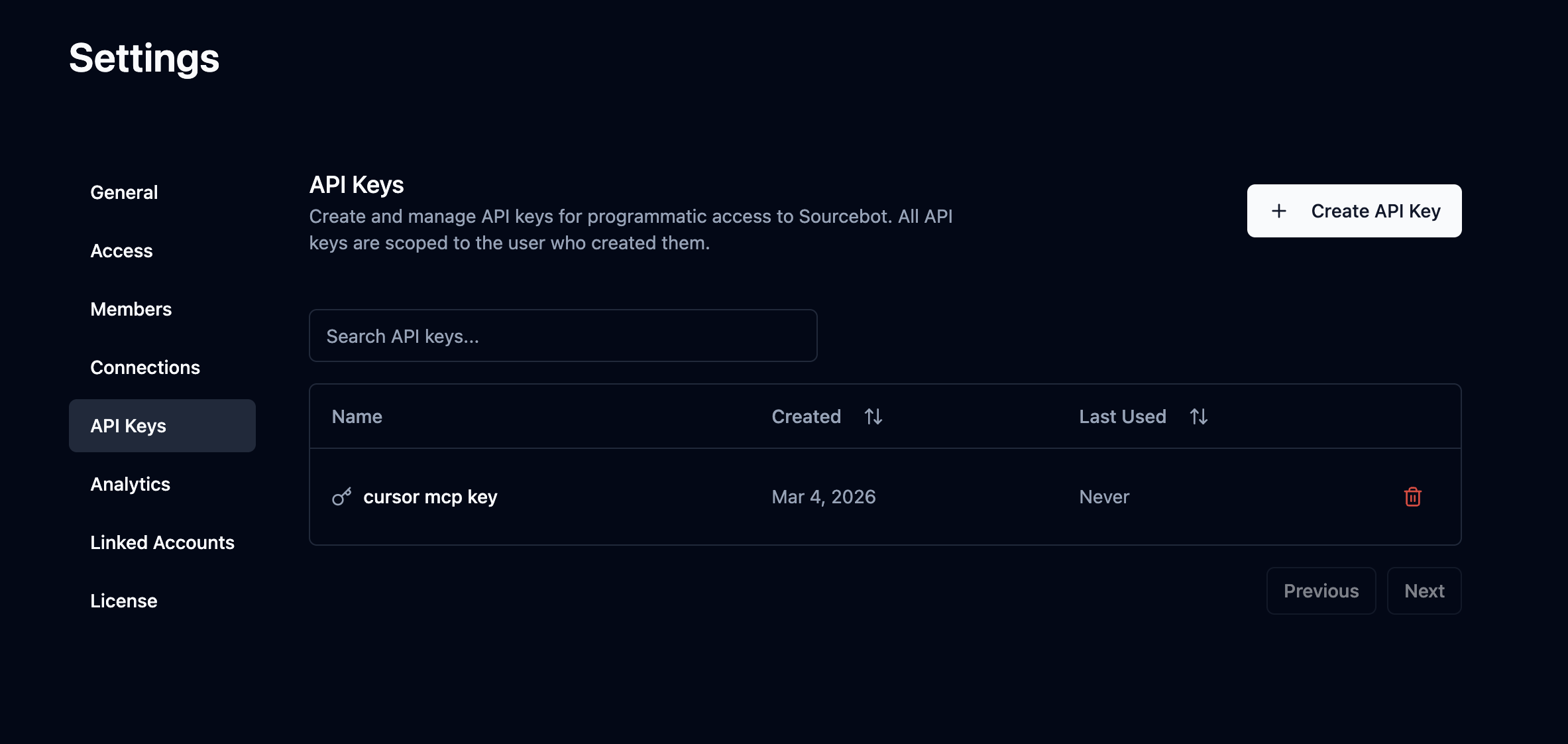
Navigate to **Settings → API Keys** and click **Create API Key**. Copy the value - it is only shown once.
 ## Using an API key
Pass your API key as a Bearer token in the `Authorization` header on every request.
```bash theme={null}
Authorization: Bearer
```
For example, to call the `/api/search` endpoint:
```bash theme={null}
curl -X POST https://your-sourcebot-instance.com/api/search \
-H "Authorization: Bearer " \
-H "Content-Type: application/json" \
-d '{"query": "hello world", "matches": 10}'
```
## Using a scoped access token
The scoped access token APIs require a custom entitlement. To request access, contact [team@sourcebot.dev](mailto:team@sourcebot.dev).
Scoped access tokens are short-lived bearer credentials intended for clients that should only access a specific set of repositories. Call `GET /api/repos` to find the integer `id` for each repository you want to include. Then create a token with a Sourcebot API key by calling `POST /api/ee/scoped_access_token` with those IDs:
```bash theme={null}
curl -X POST https://your-sourcebot-instance.com/api/ee/scoped_access_token \
-H "Authorization: Bearer " \
-H "Content-Type: application/json" \
-d '{"repoIds": [1, 2, 3]}'
```
The response includes the scoped access token and its ID:
```json theme={null}
{
"id": "scoped-token-id",
"token": "sbst_...",
"createdAt": "2026-08-14T18:00:00.000Z",
"expiresAt": "2026-08-14T19:00:00.000Z",
"repoIds": [1, 2, 3]
}
```
The opaque token begins with `sbst_`. It expires exactly one hour after issuance, cannot be refreshed, and is returned only once. Use it as a Bearer token with public API endpoints or the Sourcebot MCP server:
```bash theme={null}
Authorization: Bearer
```
Save the `id` from the create response. Use it to revoke the token with your Sourcebot API key:
```bash theme={null}
curl -X DELETE https://your-sourcebot-instance.com/api/ee/scoped_access_token/ \
-H "Authorization: Bearer "
```
Repository scope is bound internally to repository IDs and is also intersected with the creating user's current repository permissions. Creating and revoking scoped access tokens requires an API key; a scoped access token cannot mint or revoke tokens.
## Using an API key
Pass your API key as a Bearer token in the `Authorization` header on every request.
```bash theme={null}
Authorization: Bearer
```
For example, to call the `/api/search` endpoint:
```bash theme={null}
curl -X POST https://your-sourcebot-instance.com/api/search \
-H "Authorization: Bearer " \
-H "Content-Type: application/json" \
-d '{"query": "hello world", "matches": 10}'
```
## Using a scoped access token
The scoped access token APIs require a custom entitlement. To request access, contact [team@sourcebot.dev](mailto:team@sourcebot.dev).
Scoped access tokens are short-lived bearer credentials intended for clients that should only access a specific set of repositories. Call `GET /api/repos` to find the integer `id` for each repository you want to include. Then create a token with a Sourcebot API key by calling `POST /api/ee/scoped_access_token` with those IDs:
```bash theme={null}
curl -X POST https://your-sourcebot-instance.com/api/ee/scoped_access_token \
-H "Authorization: Bearer " \
-H "Content-Type: application/json" \
-d '{"repoIds": [1, 2, 3]}'
```
The response includes the scoped access token and its ID:
```json theme={null}
{
"id": "scoped-token-id",
"token": "sbst_...",
"createdAt": "2026-08-14T18:00:00.000Z",
"expiresAt": "2026-08-14T19:00:00.000Z",
"repoIds": [1, 2, 3]
}
```
The opaque token begins with `sbst_`. It expires exactly one hour after issuance, cannot be refreshed, and is returned only once. Use it as a Bearer token with public API endpoints or the Sourcebot MCP server:
```bash theme={null}
Authorization: Bearer
```
Save the `id` from the create response. Use it to revoke the token with your Sourcebot API key:
```bash theme={null}
curl -X DELETE https://your-sourcebot-instance.com/api/ee/scoped_access_token/ \
-H "Authorization: Bearer "
```
Repository scope is bound internally to repository IDs and is also intersected with the creating user's current repository permissions. Creating and revoking scoped access tokens requires an API key; a scoped access token cannot mint or revoke tokens.